Pricing questions, answered completely
Which modules are included, and which do I pay for?
All fourteen are included, on every plan, the free one included, and you pay for none of them separately. Every module is carried at zero and none appears on an invoice at any headcount, so there is nothing to buy, meter or cancel module by module and the plan per-seat price is the only charge. The modules are not what paying is for: a free workspace already has the whole platform, and moving to a paid plan does not turn anything on, it only lifts the 20-active-employee cap. Payroll here means the input pack we compile for your payroll partner rather than a payroll engine: we compute no statutory payroll and file nothing with any authority.
What does 'free up to 20' include?
Everything. The free plan is the complete product, not a stripped core: the HRIS (people, leave, attendance, onboarding, documents, workflows, self-service and reports) and all fourteen modules, for up to 20 active employees. It is not a trial and it does not expire. The limit counts concurrently active employees, so someone who has exited and someone serving out their notice do not use up one of your twenty. The only thing a paid plan adds is headroom past twenty; the software and the modules are identical on both plans. The twenty are not lost when you do pay: a paid plan carries them, and charges you for the employees past twenty.
Can I use the modules while I am on the free plan?
Yes. All fourteen modules are included on the free plan, the same as on the paid one, so a free workspace has the whole platform from day one rather than a stripped core. There are no module walls and no per-module bills to start. The only difference a paid plan makes is lifting the 20-active-employee cap and charging a per-seat rate on the people past twenty; nothing about the software or the modules changes when you move.
What happens at person 21?
The twenty-first concurrently active employee is refused until the workspace moves to a paid plan. The limit is enforced at the point an employment is activated rather than in the web interface, so a scheduled activation that runs at midnight hits exactly the same wall a person clicking a button would. Nothing about the software changes when you move: every plan runs the identical product, all fourteen modules included, and nothing is behind the boundary. What a paid plan buys is only the headcount limit going away. What it costs at that moment is one seat, not twenty-one: the twenty free seats are carried into the paid plans, so the plan charge starts at the twenty-first person. Hiring one person cannot take you from paying nothing to paying for a whole roster.
Do I pay for all my employees, or only the ones past twenty?
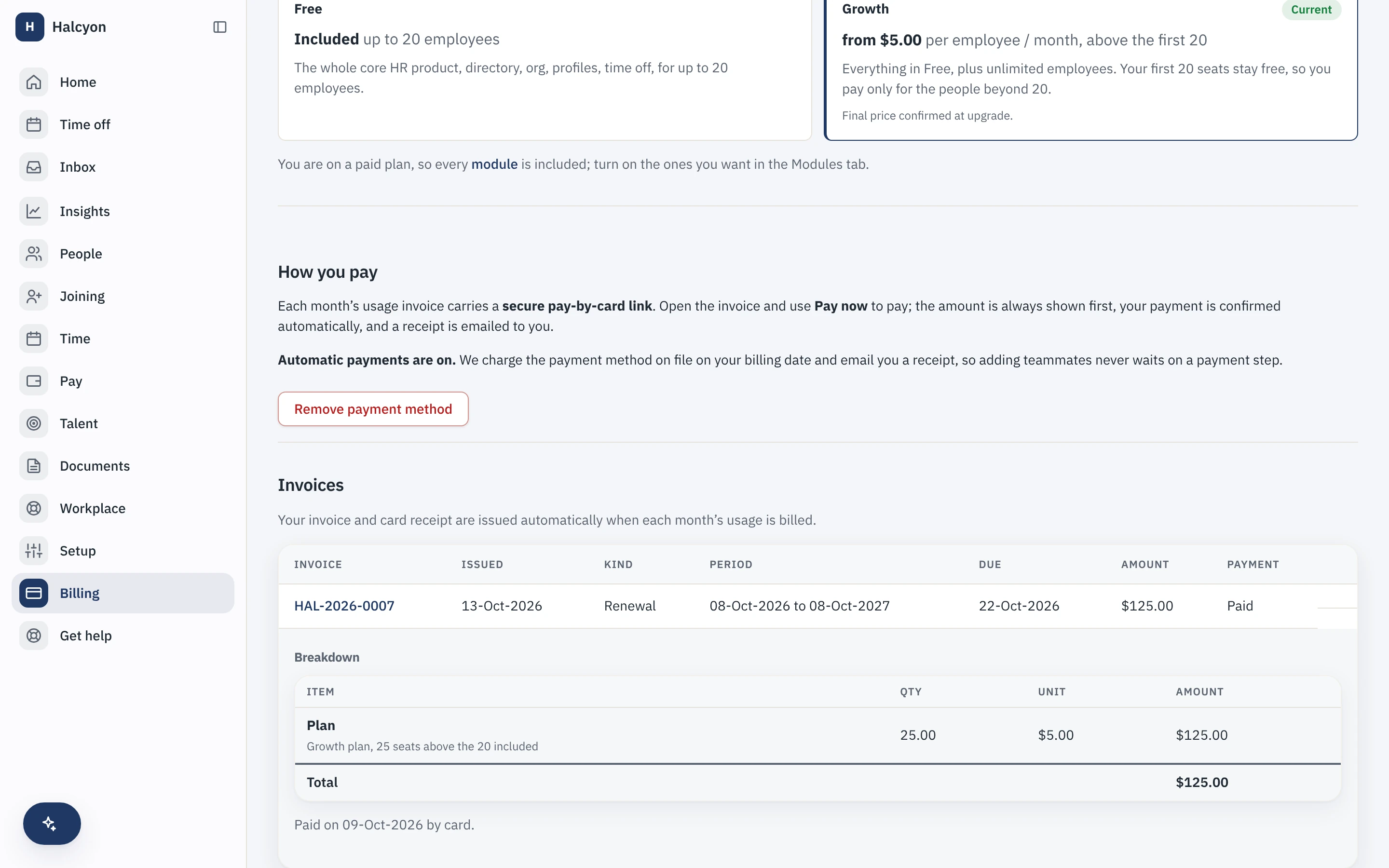
Only the ones past twenty. The twenty seats that are free on the free plan are carried into the paid plan instead of being withdrawn when you start paying, so a workspace of twenty-one people is charged the plan rate on one seat, a workspace of sixty is charged on forty, and a workspace of twenty or fewer is charged nothing at all. The per-seat plan charge on the employees past twenty is the whole bill: every module is included on every plan, so nothing is added on its own unit. The twenty are the free allowance carried forward, and every plan already carries all fourteen modules.
Is there an enterprise or Scale tier above Growth?
No. Growth is the single paid tier, and every paid workspace runs the identical product on it. There is no second tier to upsell you to and nothing held back for one. Some controls that enterprise buyers often ask about, single sign-on with SAML and IP allow-listing, are not built yet, and we would rather say so than sell a tier around them: when they ship they arrive for everyone on the paid plan, not behind a higher price.
Who counts as a billed employee?
Everyone on the roster when the count is taken: people who have joined, whose last working day has not passed, and who have not exited. That includes someone working out their notice, because they are still employed and still using the product. Your plan then charges that roster less the twenty seats it includes, and nothing else bills: every module is included on every plan, so there is no separate per-module count on top of your seats.
The free cap is twenty and the included seats are twenty. Are they the same rule?
No, and it is worth keeping them apart even though they share a number. The cap is a limit: it counts concurrently active employees, it is enforced at the moment an employment is activated, and it refuses the twenty-first activation on a free workspace until that workspace moves to a paid plan. Someone who has exited and someone serving out their notice are not active, so neither uses up one of those twenty places. The included seats are an amount of money rather than a limit: they come off the billed count, which is your roster as of today and does include people on notice, and they refuse nothing, because a paid workspace has no headcount limit to refuse anything against. The practical difference shows up in one case. Twenty active people plus two on notice is inside the free cap, so that workspace can stay on the free plan; the same workspace on a paid plan has a roster of twenty-two, which is two billable seats.
How often am I billed?
Monthly. The rate is quoted per employee per month, and each month you are billed for the chargeable seats you carried, the roster above the first twenty. There are no prepaid terms, no annual commitment and no lock-in: you pay for the seats you use, month by month, with nothing to commit to up front. Every module is included on every plan, so the plan per-seat charge is the only line on the bill.
What happens if I hire or lose people in the middle of a month?
Your bill follows your headcount. Each month you are billed for the chargeable seats you carried, the roster above the twenty every plan includes, so a workspace that grows from eighteen people to twenty-two is billed on two seats rather than on four. People who join are picked up in the count; people who leave stop counting once their last working day passes, and someone serving out their notice is still on the roster until then. Because every module is included on every plan, there is nothing to enable or disable for a fee: your bill only ever moves with your seat count.
What currency am I charged in?
One of the two books published on the pricing page: USD, or INR for Indian tenants. Your billing currency is derived from your billing country at setup, India in rupees and everywhere else in US dollars, so it follows where you are rather than being a picker you choose. The selector at the top of the pricing page switches what you see, never what you pay. Each book is a flat set of figures set directly, not a live foreign-exchange feed and not one book multiplied into another, so an invoice never contains a conversion we would not honour. If a currency has no book configured, invoicing is blocked rather than charging dollar-sized numbers under a different currency code.
What happens to my price when prices change?
Nothing retroactive. The price book is append-only: a change is a new row with its own start date, never an edit to the row you bought against. Your plan per-seat price is captured onto your subscription when the plan is granted, so a rise reaches new customers straight away and reaches you only from a future monthly bill, never on the seats you have already been billed for. Changes are announced and dated on this page.
How do I actually buy? Is there a checkout?
Not a self-serve one yet, and we are not going to call an order form a checkout. You request the upgrade from the Billing page inside the app, supplying what is needed to raise an invoice: legal entity, billing contact and email, billing address and tax id, plus a purchase-order reference if your finance team needs one. The request lands in a queue here and a person grants the plan and raises the invoice by hand. Every plan already carries the whole module suite, so a paid plan only lifts the twenty-person cap; there is nothing further to enable or approve. Self-serve card checkout is built, but built is the whole of it: the request and response shapes come from our payment provider’s published documentation and have never run against a live account of theirs, and going live is gated on our own entity structure as well. We are not going to call that proven. When it opens, this answer changes. What will not change: no sales call, no quote, and no number on this page that depends on who you are.
Do you store my card details?
There is nowhere in Capstan for a card number to live. No card field, no card form, no column that could hold one: the payment provider is the merchant of record and takes the payment on its own hosted page, and what we store is a reference and an amount, an event id, a payment id, a status, a figure and a currency. That is the entire footprint, and it is a property of the schema rather than a promise about our conduct. We also store no auto-debit mandate, so a monthly amount that has moved with your headcount is always shown to you before it is paid rather than pulled silently.
What happens if I stop paying?
Not immediately, and never without warning. When a monthly invoice goes unpaid the workspace enters a grace period: access is uninterrupted, a customer who is late is still a customer, and your admins see an honest in-grace banner rather than a locked door. You are warned before the amount is due, on the day the invoice is issued, and again before the door closes, and the last of those notices cannot be muted. If it stays unpaid past the grace period the workspace is suspended: people cannot sign in, and not one row of your data is touched or deleted. Your one-click export keeps working the whole time, because the export endpoints deliberately sit outside the suspension check. Reinstating is a person here recording that your payment arrived; a payment that lands on a suspended workspace is recorded and held for that decision rather than silently unlocking the door. Deletion happens only on your instruction or your configured retention schedule, never as a penalty. A workspace on the free plan has no subscription at all, so it can never be suspended for non-payment.
What happens to my bill if I cancel or shrink?
There is nothing prepaid to refund: you are billed monthly for the seats you used, so cancelling simply stops future bills, and seats you drop stop counting once each person's last working day passes. What you do not lose is money we were never owed: an overpayment is never absorbed. It becomes a credit on your workspace, recorded in an append-only ledger, and applied against a future bill, so a credit-covered bill settles with no money moving. The balance is visible on your billing page rather than something you have to ask about.
Do you have setup fees?
No. No setup fee, no implementation package, no onboarding fee, no platform fee and no mandatory professional services. The prices on this page are the whole commercial relationship. There is no commitment to make: you are billed monthly for the seats you use, with no prepaid term and no minimum contract.
Do you charge for the mobile app?
No. Capstan installs to a phone home screen on every plan, including the free one, and charging for the mobile app is the old world’s trick. It is a progressive web app rather than a store download, which means it updates when the product does and there is no review queue between a fix and your phone. On a touch device the product offers an install button; on iOS you use Safari’s own Add to Home Screen, because faking a prompt the browser does not provide would be worse than saying so.