
Included on every plan
Advanced shifts, rosters and overtime rules for operations teams
The Time & Attendance (Advanced) module adds shift definitions, roster scheduling, rotation patterns, swap requests and overtime rules on top of the core two-tap punch, and makes the day status shift aware. The core attendance everyone gets stays free, and turning this module off leaves the core behaving exactly as it did before.
- Counted on
- per employee, monthly.
- Published limits
- 4, taken from the module specification and printed in full below.
- Documented seams
- 2, to 2 other modules . Each one is optional, and absent rather than broken when the other is off.
- In the catalogue
- When people worked, and what they hold
- How you get it
- It is already included, on every plan and the free one too, at no extra charge. There is nothing to buy and nothing to switch on module by module. What every plan includes, and what is true of every module.
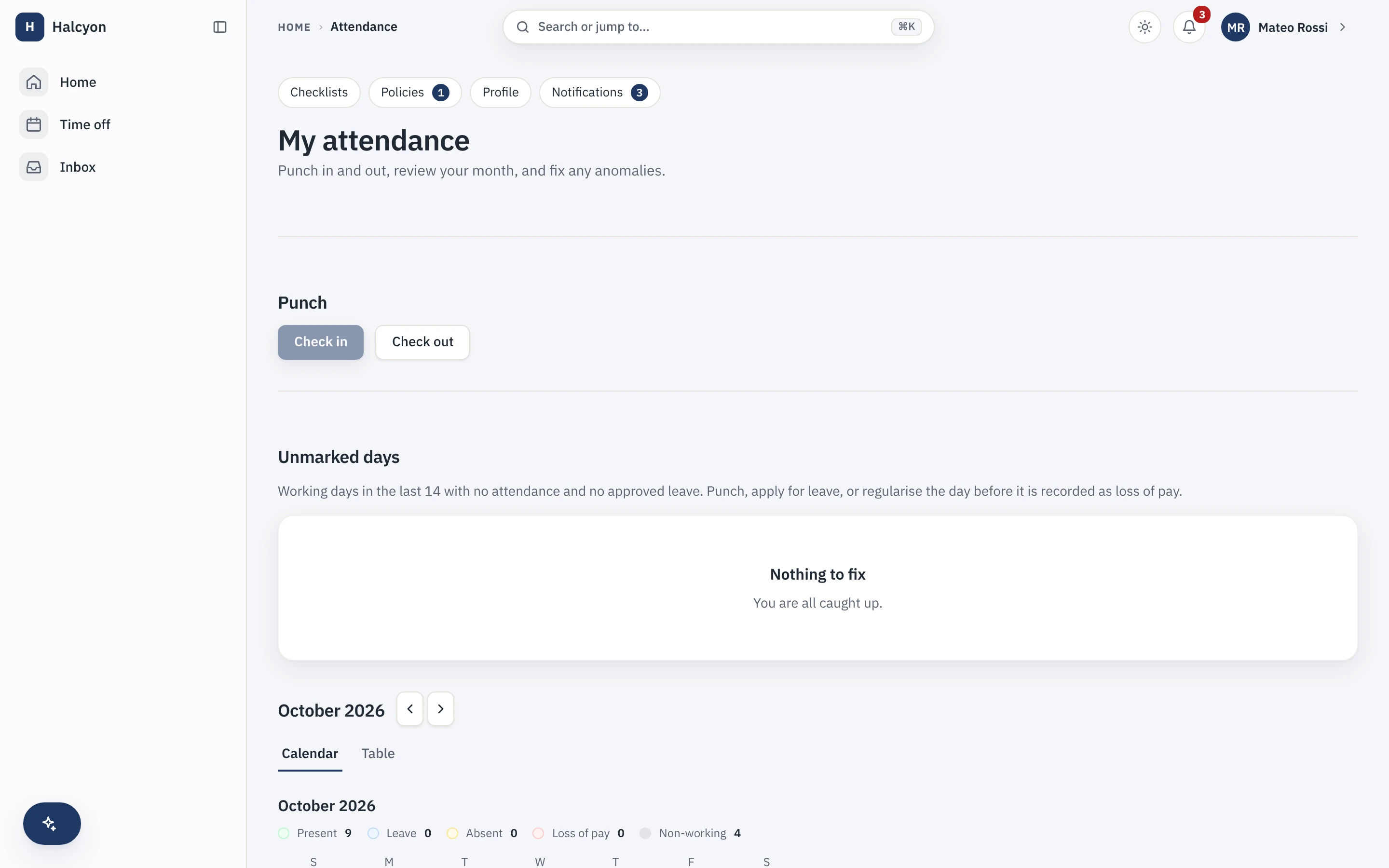
Time & Attendance (Advanced) in the product
A real capture from the demo workspace, a global company with a team across the US, the UK and India. Not a mockup.
What Time & Attendance (Advanced) does not do
Every module here publishes its non-goals, from its own specification. Boundaries you learn before buying are features; boundaries you learn after are refunds.
4 published for Time & Attendance (Advanced)
-
It does not do covert tracking of any kind.
Every capture mechanism is disclosed to the employee in the product, and attendance exception flags are visible to the person they describe rather than kept as a hidden score.
-
It does not replace the core punch.
Simple attendance is core, on every plan, free.
-
It computes no money.
Approved overtime becomes comp-off or a payroll input; what an hour of overtime is worth is your payroll partner’s arithmetic.
-
Biometric devices, kiosk mode and geo-fencing are not shipped.
They are a deferred surface with a stated trigger, not a v1 feature, and if your workforce needs terminals at the door that boundary is worth knowing before you buy.
How it runs in practice
An operations team builds a weekly roster from published shift definitions, where a roster pins the version of the shift it was built from so a later edit never rewrites a past week. Swaps need both people and an approval, overnight shifts attribute their hours to the right day, and approved overtime turns into comp-off or a clean payroll input, while the rest of the company keeps using the two-tap punch in the core.
Where Time & Attendance (Advanced) meets your other modules
Each of these is a boundary both specifications state, so it reads the same from either side. Every one is optional: with the other module off, the capability is absent rather than broken.
- Payroll
Approved overtime becomes comp-off or a payroll input, never an amount either module computes.
- Timesheets & Projects
A report can compare logged hours against attendance worked minutes, and never blocks a submission.
Time & Attendance (Advanced) questions
Who is Time & Attendance (Advanced) for?
Operations teams where people work shifts rather than a standard day: retail, manufacturing, hospitality, support desks, clinics, anywhere there is a roster on a wall and a rotation that has to be fair. The buyer is usually an operations or plant manager rather than HR. Offices where everyone works the same hours do not need it, because the free core already handles a two-tap punch, timesheets and approvals for them. The signal that you need it is that somebody is currently maintaining next week’s roster in a spreadsheet and arguing about overtime after the fact.
Is basic attendance paid?
No. Two-tap punch in and out, the attendance month view, timesheets and approvals are part of the free core, on every plan including the free one, and are not affected by whether this module is enabled. This module adds the layer above that: shift definitions, roster scheduling, rotation patterns, swap requests and overtime rules, and it makes the day status shift-aware. If you turn it off, the core punch keeps behaving exactly as it did before.
Does it integrate biometric devices?
No. Biometric devices, kiosk mode and geo-fencing are not shipped. They are a deferred surface with a stated trigger rather than a v1 feature, and none of them exists today. The module handles shifts, rosters, rotations, swaps and overtime in software, and punching happens in the app, including on a phone. If your workforce needs terminals at the door, that boundary is worth knowing before you buy rather than after, which is why it is written here rather than left out.
What do I need in place before I can turn this module on, and how much setup is it?
Nothing to turn on: every module is included on every plan, the free one included, so a workspace already has this from the day it is created, on Free as much as on Growth. Then your work locations need their timezones set in the core, because shift boundaries are computed from them. The module’s own setup is the shift definitions: timings, breaks, grace periods, half-day thresholds and overnight crossover behaviour, then rotation patterns, then the overtime rules and what approved overtime turns into. Definitions are versioned, and a roster pins the version it was built from, so a later edit never rewrites a past week. The first roster is the slow one; after that you are copying patterns.
What does this module explicitly not do?
It does no covert tracking of any kind: every capture mechanism is disclosed to the employee inside the product, and attendance exception flags are visible to the person they describe rather than kept as a hidden score. It does not replace the core punch, which stays free on every plan. It computes no money: approved overtime becomes compensatory time off or a payroll input, and what an hour of overtime is worth is your payroll partner’s arithmetic, not ours. And biometric devices, kiosk mode and geo-fencing are not built.
How does this module fit with the core and the other modules?
It extends the core’s attendance day-status model rather than forking it, so a day’s status still comes from one place with one set of precedence rules and the core punch is unchanged. It reads the core leave calendar, so approved leave suppresses a shift expectation instead of showing as an absence, and swap and overtime approvals run through the core workflow engine. Compensatory time off produced by approved overtime lands in the core leave ledger as a balance the employee can then apply for. It requires no other module. Where the Payroll module is enabled, overtime outcomes are one of the inputs compiled and handed to your payroll partner, and the core’s period locking governs everything payroll-facing so a locked period cannot be quietly rewritten.
What happens if I turn this module off?
Shifts, rosters, rotations, swaps and overtime rules stop being reachable, and because the module is part of your plan there is no separate charge to stop. The core attendance everyone uses carries on exactly as before, which is the whole point of keeping the punch in the free core: turning this off downgrades your scheduling, it does not stop people recording attendance. Your shift and roster data is not deleted; it is retained on a schedule and restored if you re-enable within that window. A full workspace export includes module data whether or not the module is currently enabled.
Time & Attendance (Advanced) is included on every plan, the free one included.