
By capability
HR automation with Autopilot
Autopilot runs the routine work for you. When something happens in your workspace, a hire, an exit, a leave request or a published policy, a rule you set once can assign a checklist, send a welcome email, enrol the person in training or ask for an acknowledgment, with nobody remembering to do it by hand. It is workspace automation, not a separate product, and it is on every plan, the free one included.
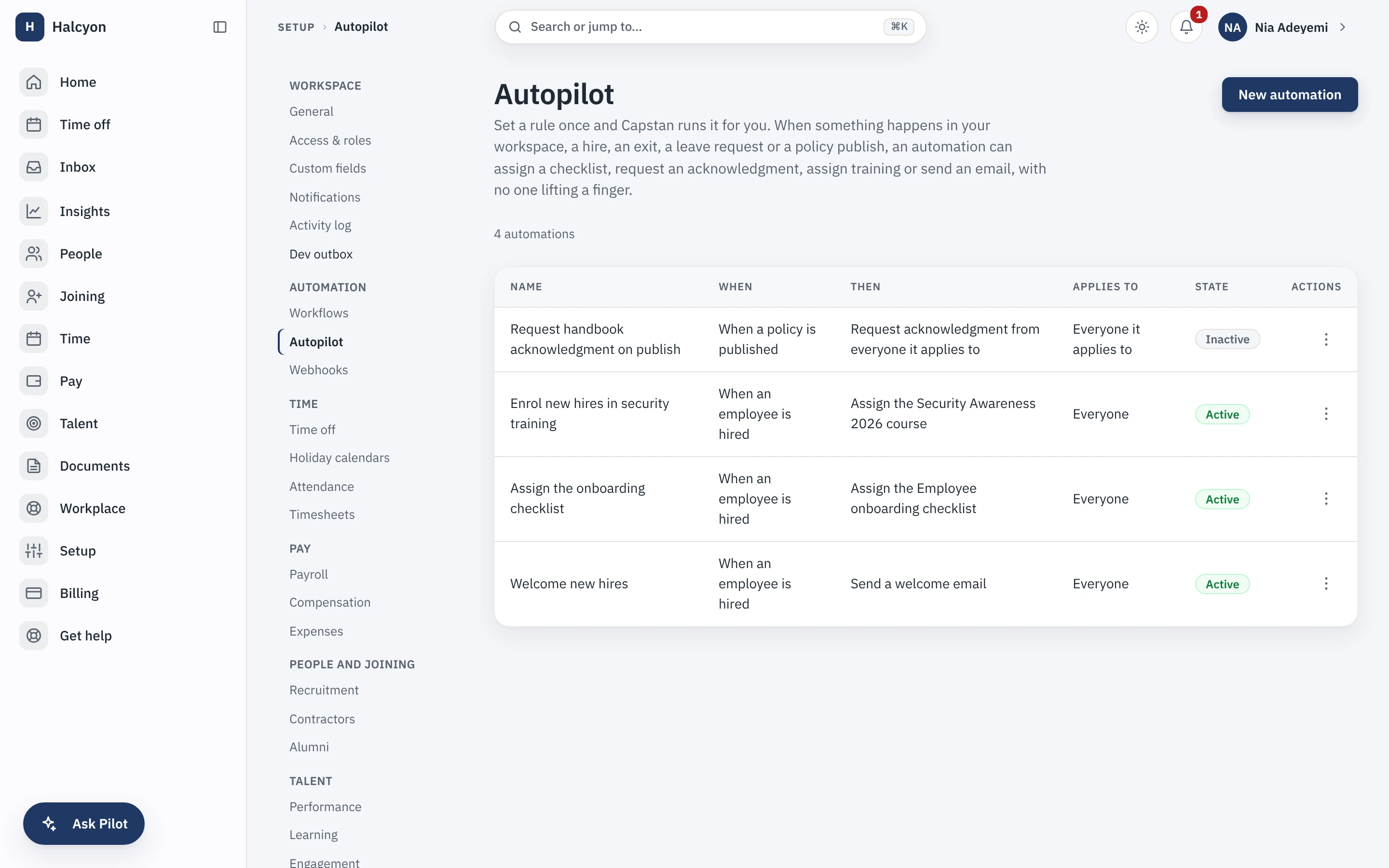
A conceptual map of the automation engine, with a real capture from the demo workspace. Prices sit on the pricing page and nowhere else.
Set a rule once, and it runs itself
Each automation reads as a plain sentence: when this happens, do that, for these people. The list shows every rule, what fires it and whether it is on, so there is no hidden behaviour to reason about.
What is HR automation?
HR automation is routine work that happens on its own because a rule decided it in advance, rather than because someone remembered. In Capstan that rule is an event and an action: the event is something real that happened to a person or the workspace, and the action is a piece of work the product already knows how to do. You write the rule once, and every time the event happens afterwards, the action runs.
- A rule is one sentence: when this happens, do that, for these people.
- Every rule is listed, so what the workspace does automatically is never a mystery.
- A rule can be switched off without deleting it, for when you want a pause, not a change.
What can Autopilot do?
Autopilot listens for four events and runs one of a small set of actions. A new hire can get the onboarding checklist, a welcome email to their work address and an enrolment in the training you require. An exit can start the offboarding checklist. A just-published policy can ask everyone it applies to for their acknowledgment. Each action is one the product already performs by hand, so an automation is the same work, started for you.
- Events: a hire, an exit, a leave request and a published policy.
- Actions: assign a checklist, send a welcome email, assign a course, request an acknowledgment.
- The checklists come from the same library you edit on the people surfaces.
Does an automation respect permissions?
Yes. An automation runs under the rights of the person whose action set it off, not a back-door service account, so it can only do what that person could have done by hand and the module's own rules still apply. An action that has already run for an event never runs a second time, and one rule failing does not stop the others. The rules are an administrator setting, kept with the rest of the workspace configuration.
- Runs under the acting person's own rights, so no automation widens anyone's access.
- Each action runs once per event, so a retry never double-assigns or double-sends.
- The audit trail records what fired and what it did, the same as any other change.
Does automation cost extra?
No. Autopilot is part of the workspace, so it is on the free plan and on a paid plan alike. A paid plan lifts only the twenty-active-employee cap and changes nothing about the software. The whole product is on the product page, and the reasoning behind charging for seats and never for a feature is in the manifesto.
- On every plan, because automation you have to buy is a tax on running the company properly.
- Prices, past the free twenty, are on the pricing page and nowhere else.
- For routing a request to a decision rather than firing an action, see approval workflows.
Start free for up to twenty people, and set your first automation the same day.