
Included on every plan
Laptop and asset tracking tied to onboarding and exits
The Asset Management module is an operational register of what you own and who holds it, from issue at onboarding to return at exit. Issue and return each capture a condition note, an optional photo and an acknowledgment from the holder, and an assignment is end-dated rather than deleted, so the history survives. It is included on every plan at no extra charge.
- Counted on
- per employee, monthly.
- Published limits
- 5, taken from the module specification and printed in full below.
- Documented seams
- 1, to one other module . Each one is optional, and absent rather than broken when the other is off.
- In the catalogue
- When people worked, and what they hold
- How you get it
- It is already included, on every plan and the free one too, at no extra charge. There is nothing to buy and nothing to switch on module by module. What every plan includes, and what is true of every module.
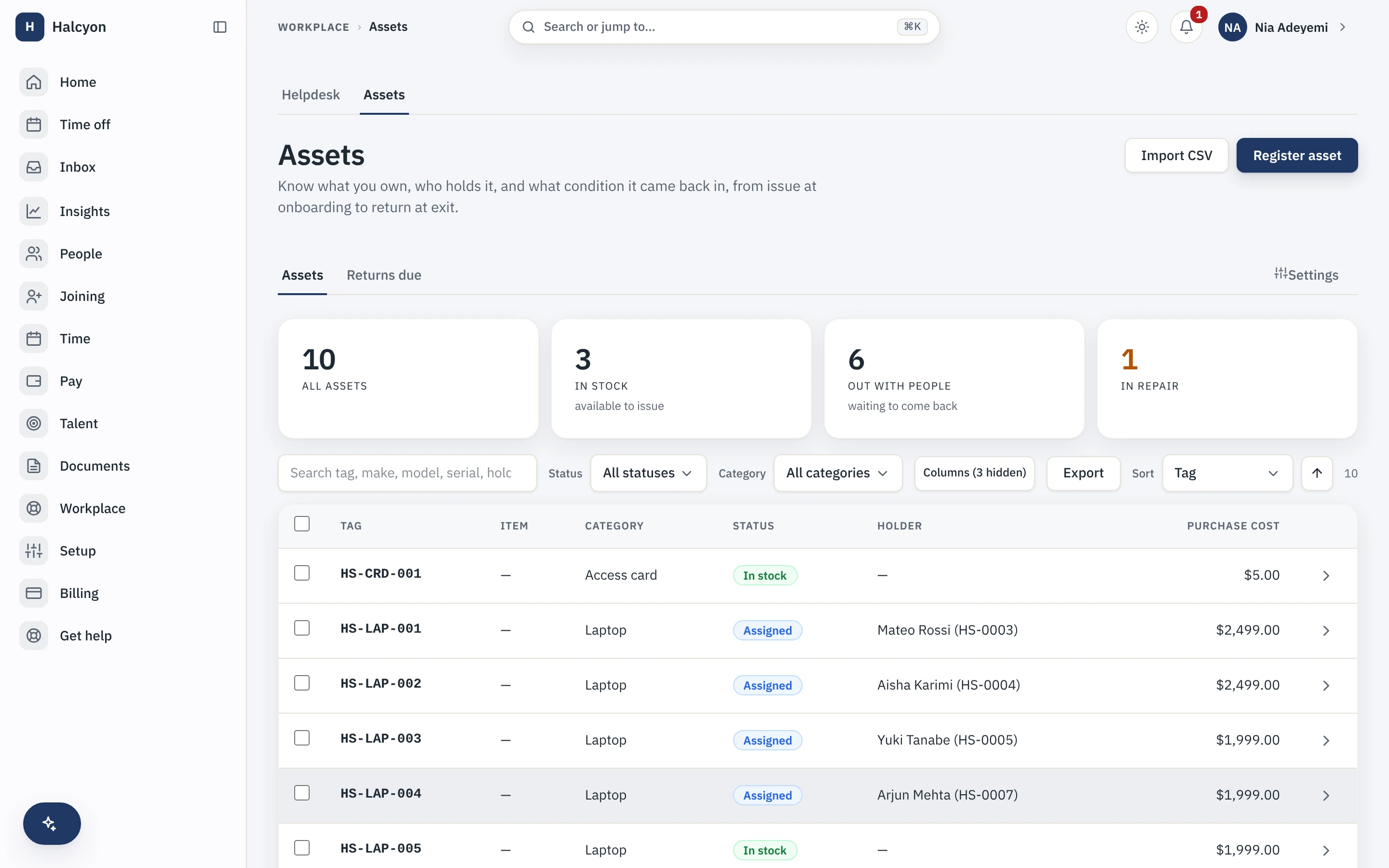
Asset Management in the product
A real capture from the demo workspace, a global company with a team across the US, the UK and India. Not a mockup.
What Asset Management does not do
Every module here publishes its non-goals, from its own specification. Boundaries you learn before buying are features; boundaries you learn after are refunds.
5 published for Asset Management
-
It is not an accounting system.
Purchase date and purchase cost are optional reference fields, recorded and never computed upon: no depreciation, no book value, no amortisation.
-
It does not schedule preventive maintenance, and it tracks no warranties or vendor contracts.
-
It does not generate or scan barcodes and QR codes, and it runs no procurement or purchase orders.
-
It does not manage software licence seats.
-
It puts no approval gate on issue and return. v1 is act and acknowledge; an unacknowledged issue is visible, never blocking.
How it runs in practice
Every laptop, monitor and access card is issued against a person, or against a contractor engagement where Contractor Management is enabled, and the holder is notified the moment it is issued rather than only by a reminder later. When someone exits with an asset still out, the open assignment is flagged into the settlement surface for a human to resolve; it is a flag, deliberately not a block on the exit.
Where Asset Management meets your other modules
Each of these is a boundary both specifications state, so it reads the same from either side. Every one is optional: with the other module off, the capability is absent rather than broken.
- Contractor Management
An asset can be issued against a contractor engagement rather than a person.
Asset Management questions
Who is Asset Management for?
Companies that hand out laptops, phones, access cards and tools and currently track them in a spreadsheet that is out of date. The buyer is IT or operations, and the trigger is usually an exit where nobody could say what the leaver still had. It is worth having once issuing and returning equipment is a routine part of joining and leaving rather than an occasional event. It is not an IT asset management platform and does not try to be.
What do I need in place before I can turn Asset Management on, and how much setup is it?
Nothing to turn on: every module is included on every plan, the free one included, so a workspace already has this from the day it is created, on Free as much as on Growth. The configuration itself is small: your asset categories, whether assets can be issued against a contractor engagement, which is only accepted while Contractor Management is enabled and is refused honestly rather than silently ignored when it is not, and whether the reminder notice is on. The real work is the inventory: there is no asset importer, so your existing register is entered by hand once, and after that issue and return keep it current as a by-product of onboarding and exits rather than as a separate maintenance task.
What does Asset Management explicitly not do?
It is not an accounting system: purchase date and purchase cost are optional reference fields that are recorded and never computed upon, so there is no depreciation, no book value and no amortisation. It does not schedule preventive maintenance and tracks no warranties or vendor contracts. It does not generate or scan barcodes and QR codes, and it runs no procurement or purchase orders. It does not manage software licence seats. And it puts no approval gate on issue and return: this version is act and acknowledge, so an unacknowledged issue is visible but never blocking.
How does Asset Management fit with the core and the other modules?
Assets are issued against people from the core directory, the holder acknowledgment uses the same core acknowledgment mechanic as policies and letters, photos and documents live in the core document store, and reminders ride the core notification ladder. The join that earns the module its place is with the core exit process: when someone leaves with an asset still out, the open assignment is flagged into the settlement surface for a human to resolve, deliberately as a flag rather than a block on the exit. Contractor Management is the one cross-module link: with it enabled, an asset can be issued against a contractor engagement rather than an employment.
What happens if I turn Asset Management off?
The asset register, issue and return records and the asset reports stop being reachable, and the exit process stops flagging outstanding equipment, which is the consequence most likely to bite. Because the module is included on every plan at no extra charge, there is no separate charge to stop. The data is retained on a schedule and restored if you re-enable within that window, and assignment history survives because an assignment is end-dated rather than deleted in the first place. A full workspace export includes module data whether or not the module is currently enabled.
Asset Management is included on every plan, the free one included.