
Included on every plan
Project timesheets that live where your people records live
The Timesheets & Projects module logs time against projects and tasks, submits and approves it on your own weekly, fortnightly or monthly cadence, and reports effort, compliance and billable amounts where rates are configured. A tenant that never touches rates or client fields gets clean internal effort tracking instead.
- Counted on
- per employee, monthly.
- Published limits
- 5, taken from the module specification and printed in full below.
- Documented seams
- 2, to 2 other modules . Each one is optional, and absent rather than broken when the other is off.
- In the catalogue
- When people worked, and what they hold
- How you get it
- It is already included, on every plan and the free one too, at no extra charge. There is nothing to buy and nothing to switch on module by module. What every plan includes, and what is true of every module.
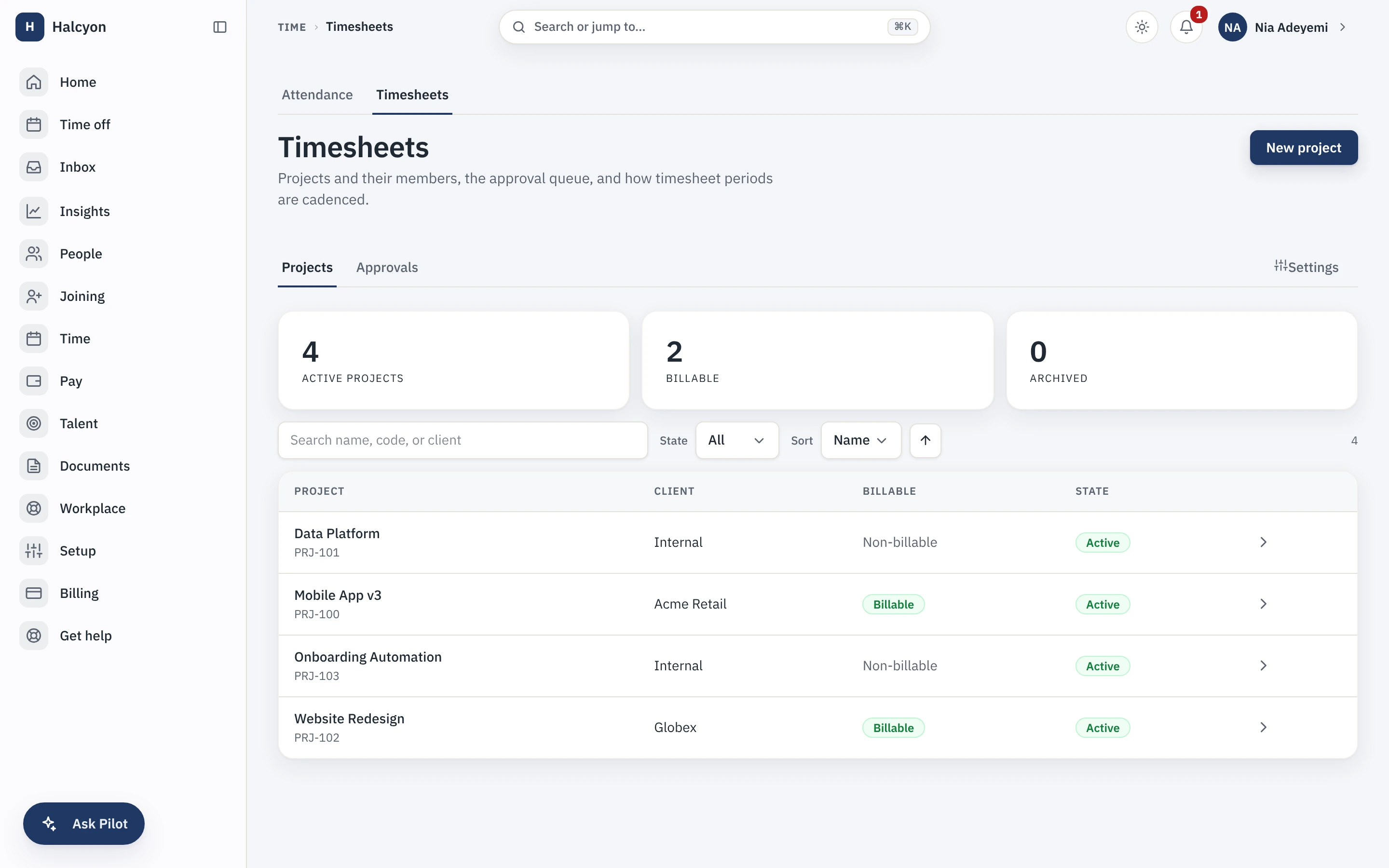
Timesheets & Projects in the product
A real capture from the demo workspace, a global company with a team across the US, the UK and India. Not a mockup.
What Timesheets & Projects does not do
Every module here publishes its non-goals, from its own specification. Boundaries you learn before buying are features; boundaries you learn after are refunds.
5 published for Timesheets & Projects
-
It is not a project management tool.
No boards, no dependencies, no Gantt, no capacity forecasting; it accounts for time, it does not plan work.
-
It does not invoice your clients.
Capstan is not your billing system; the reports export into the tool that is.
-
There is no timer and no activity monitoring.
Entries are declarative, and approval is the control.
-
It does not enforce agreement with attendance.
A report can compare logged hours against attendance worked minutes; it never blocks a submission.
-
Rates are single currency in v1, and there are no per-task rates.
How it runs in practice
A services team logs hours against client projects, and the period view marks non-working days and approved leave so nobody quietly books time on a holiday. Approvals roll up on the configured cadence and lock the period, reopening is reasoned and audited, and utilisation and billable reports come out of the same system that already knows who works where. Contractor time can be logged the same way when Contractor Management is enabled.
Where Timesheets & Projects meets your other modules
Each of these is a boundary both specifications state, so it reads the same from either side. Every one is optional: with the other module off, the capability is absent rather than broken.
- Contractor Management
Contractor time is logged the same way employee time is.
- Time & Attendance (Advanced)
A report can compare logged hours against attendance worked minutes, and never blocks a submission.
Timesheets & Projects questions
Who is Timesheets & Projects for?
Services companies that bill or account for time: agencies, consultancies, studios, engineering teams working across client projects, and internal teams that need to know where effort actually went. The buyer is usually a delivery lead or finance. It is worth having once "which project was that on?" is a question somebody asks more than once a month. A company where everyone works on one thing does not need it, and neither does a company that already logs time in a project tool it is happy with, because this module accounts for time rather than planning work.
What do I need in place before I can turn Timesheets & Projects on, and how much setup is it?
Nothing to turn on: every module is included on every plan, the free one included, so a workspace already has this from the day it is created, on Free as much as on Growth. Then the configuration is short and mostly a set of decisions: your submission cadence, meaning weekly with a start day, fortnightly with an anchor date, or monthly; whether rates are enabled at all; whether contractor time can be logged, which is only offered while Contractor Management is enabled; a cap on hours logged per day if you want one; which approval workflow a submission binds to; and whether the submission reminder is on, which it is not by default. After that you create your projects and tasks. A workspace that never touches rates or client fields gets clean internal effort tracking rather than a half-configured billing system.
What does Timesheets & Projects explicitly not do?
It is not a project management tool: no boards, no dependencies, no Gantt chart and no capacity forecasting. It accounts for time, it does not plan work. It does not invoice your clients, because Capstan is not your billing system; the reports export into the tool that is. There is no timer and no activity monitoring of any kind: entries are declarative and approval is the control. It does not enforce agreement with attendance, so a report can compare logged hours against attendance worked minutes but it never blocks a submission. And rates are single-currency in this version, with no per-task rates.
How does Timesheets & Projects fit with the core and the other modules?
It reads the core rather than duplicating it: people and their employment records come from the core directory, approvals run on the core workflow engine, and the period view reads the core holiday calendars and leave ledger so non-working days and approved leave are marked and nobody quietly books eight hours on a public holiday. Reporting registers with the core report registry, so a manager sees the slice their permissions already allow. It needs no other module. Contractor time is the one cross-module feature: it can be logged the same way while Contractor Management is enabled, and the option is simply absent when that module is off rather than broken.
What happens if I turn Timesheets & Projects off?
Projects, tasks, time entries, submissions and the utilisation reports stop being reachable, and because the module is part of your plan there is no separate charge to stop. The data is not deleted: it is retained on a schedule and restored if you re-enable within that window, including locked periods and their approval history. A full workspace export includes module data whether or not the module is currently enabled, so the record of who worked on what does not become hostage to a subscription. Attendance in the free core is unaffected, because logged project time and attendance are separate records that this module compares rather than merges.
Timesheets & Projects is included on every plan, the free one included.