
By capability
HR approval workflows
Approval workflows in Capstan route any request, leave, expenses, a profile change, a generated letter, a custom approval, through chains you configure, with delegation for when someone is away and escalation for when a step sits too long. It is one engine, used by every module, and it is on every plan, the free one included.
A conceptual map of the approval engine, with real captures from the demo workspace. Prices sit on the pricing page and nowhere else.
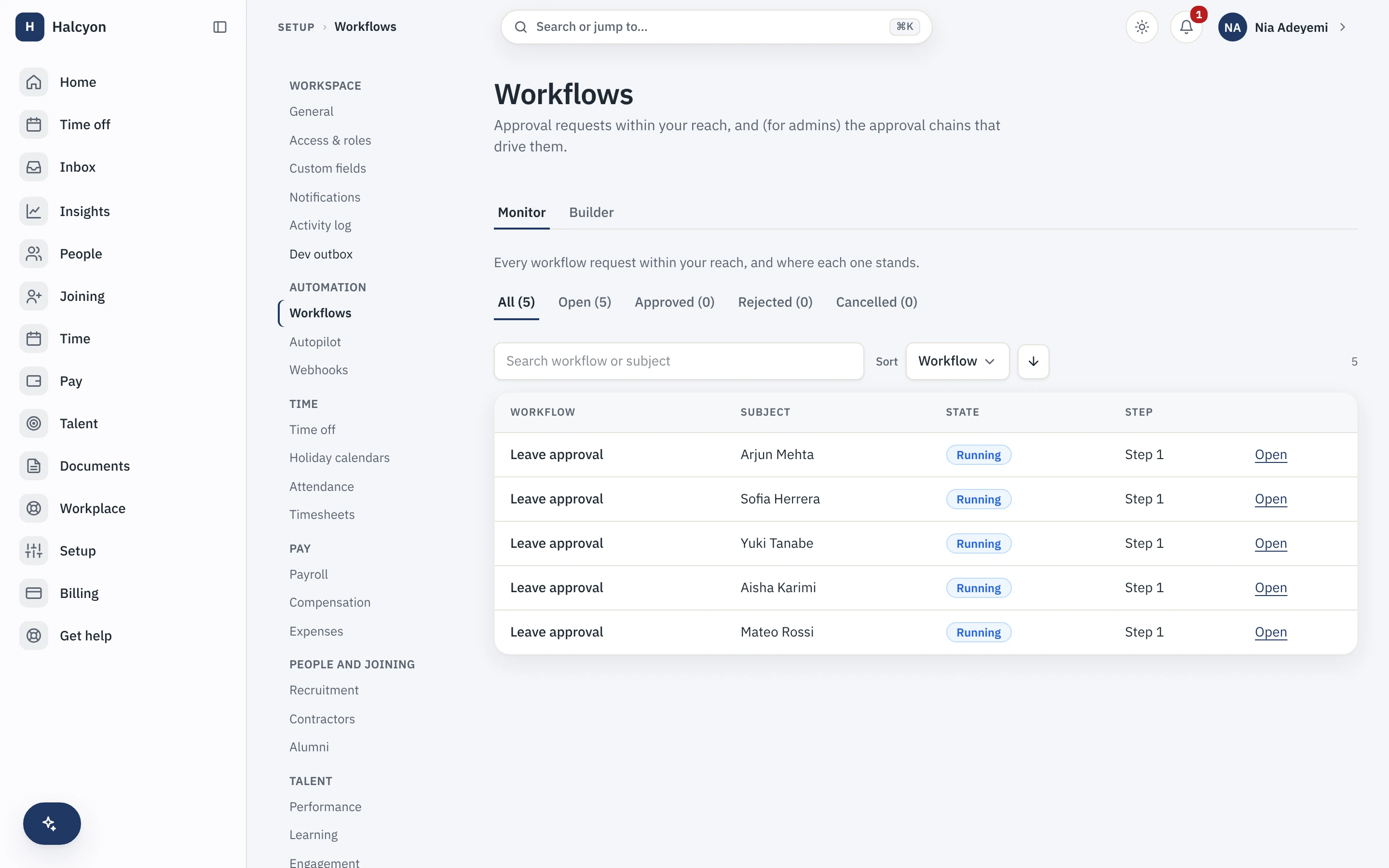
Every live request, and where each one stands
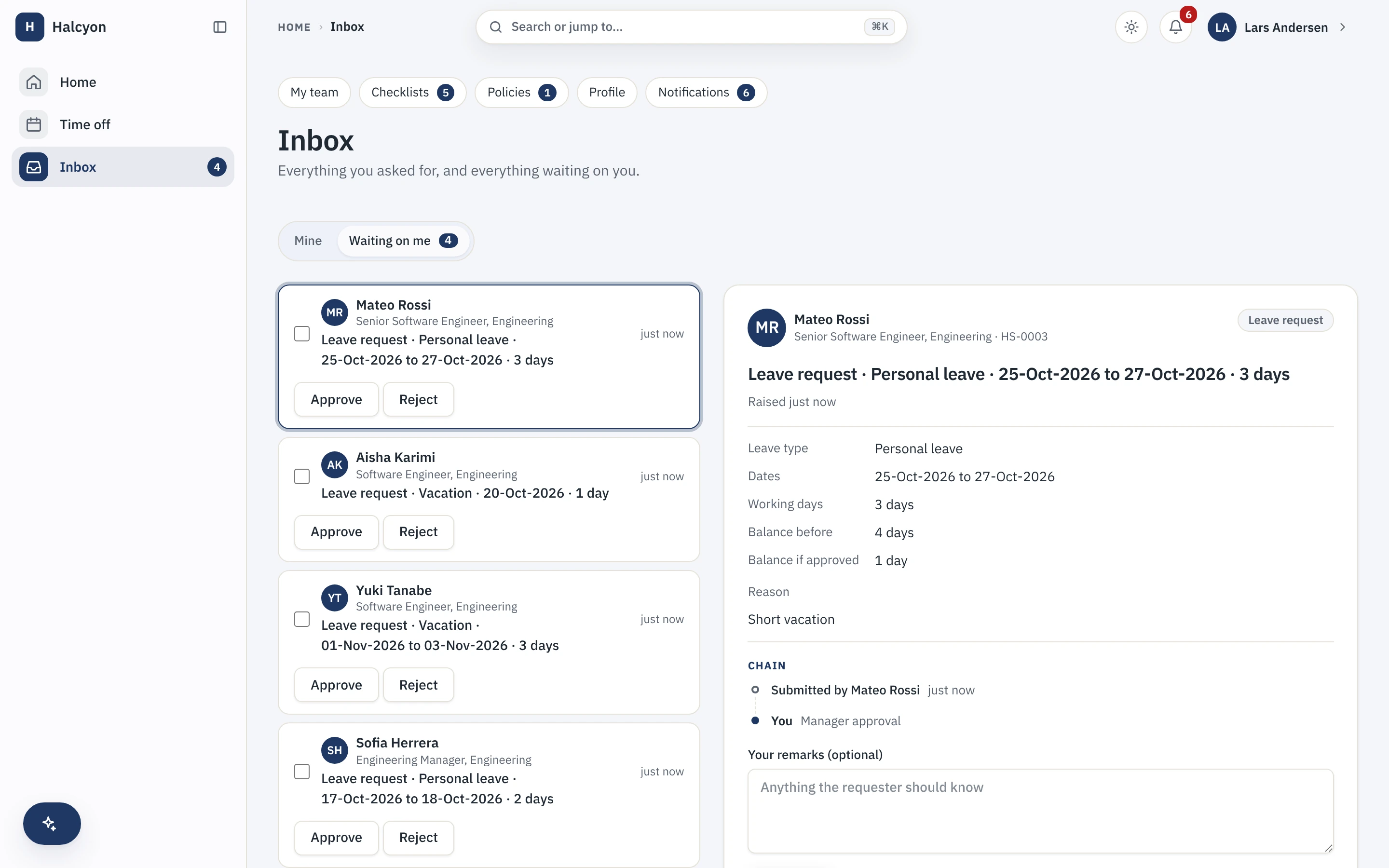
The monitor shows every workflow in flight and the step it is on. The approver sees only what is waiting on them, with the full decision detail and the chain so far.
What is an approval workflow?
An approval workflow is the path a request takes from raised to decided: who has to approve it, in what order, and what happens if they do not. In Capstan you build that path once, by org structure, role or named person, and the request routes itself. The person who raised it watches it move, and the person who has to act sees it in their inbox, so nothing waits on someone remembering.
- Chains by reporting line, role or named person, with as many steps as the decision needs.
- Out-of-office delegation, so a request never stalls because one approver is away.
- Escalation on elapsed time, so a step that sits too long moves itself up rather than waiting.
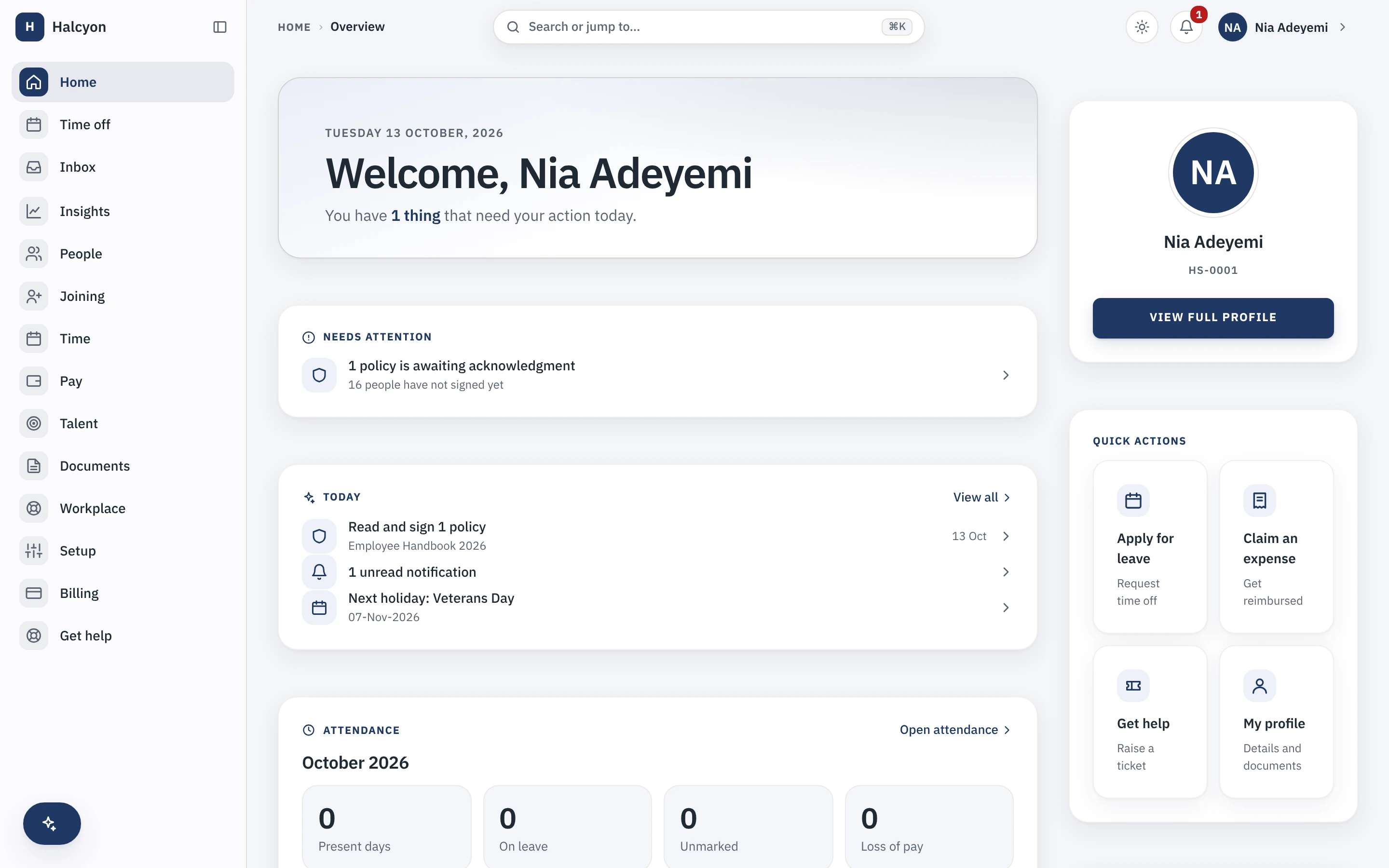
What needs action is on the home page
An approver does not have to go looking. What is waiting on them, and what needs the workspace's attention, is on the home the moment they sign in.
What can you route through a workflow?
The same engine routes everything, which is the point. Leave requests, expense claims, profile and data changes, generated letters and custom approvals all run through chains of the same kind, so a person learns one pattern rather than one per module. Every module in the catalogue uses it, so a new module does not bring a new, different way to approve things.
- Leave, expenses, data changes, letters and custom approvals, all on one engine.
- Every module uses the same chains, so there is one approval pattern to learn, not fourteen.
- See the modules that lean on it on the modules page.
Is every approval audited?
Yes. Every step of every workflow is logged with the actor, the action, the time and where it came from, and that log is append-only, so an approval cannot be quietly rewritten after the fact. An admin opens the activity log in the product, filters by action, record type or date, and exports it for their own auditor without asking us for anything.
- Who approved what, when, and from where, on every step.
- The trail is append-only: updates and deletes are revoked in the database.
- Your own audit trail, exportable by you, is on every plan. How we treat the record is on the security page.
Does the workflow engine cost extra?
No. The workflow engine is part of the core, so it is on the free plan and on a paid plan alike. A paid plan lifts only the twenty-active-employee cap and changes nothing about the software. The whole product is on the product page, and the reasoning behind charging for seats and never for a feature is in the manifesto.
- On every plan, because an approval engine you have to buy is a tax on running the company properly.
- Prices, past the free twenty, are on the pricing page and nowhere else.
- The approver's side of this is part of employee self-service.
Start free for up to twenty people, and route your first approval the same day.