
By capability
Leave management software
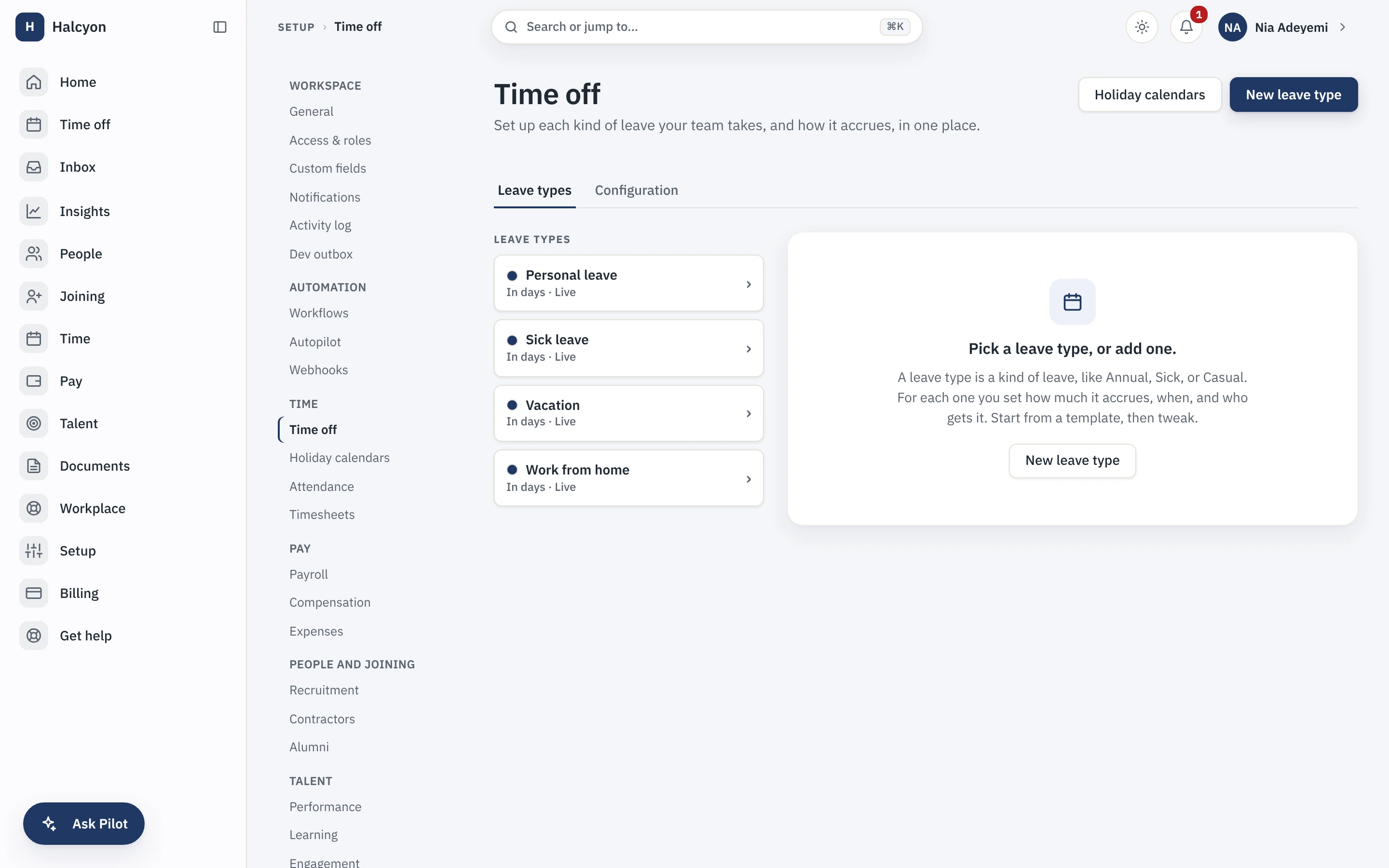
Leave management in Capstan handles multiple leave policies, regional holiday calendars and approval chains, so a team split across London and Bengaluru accrues and books leave under the right rules automatically. It is part of the free core, so a company runs real leave from day one without paying for a module.
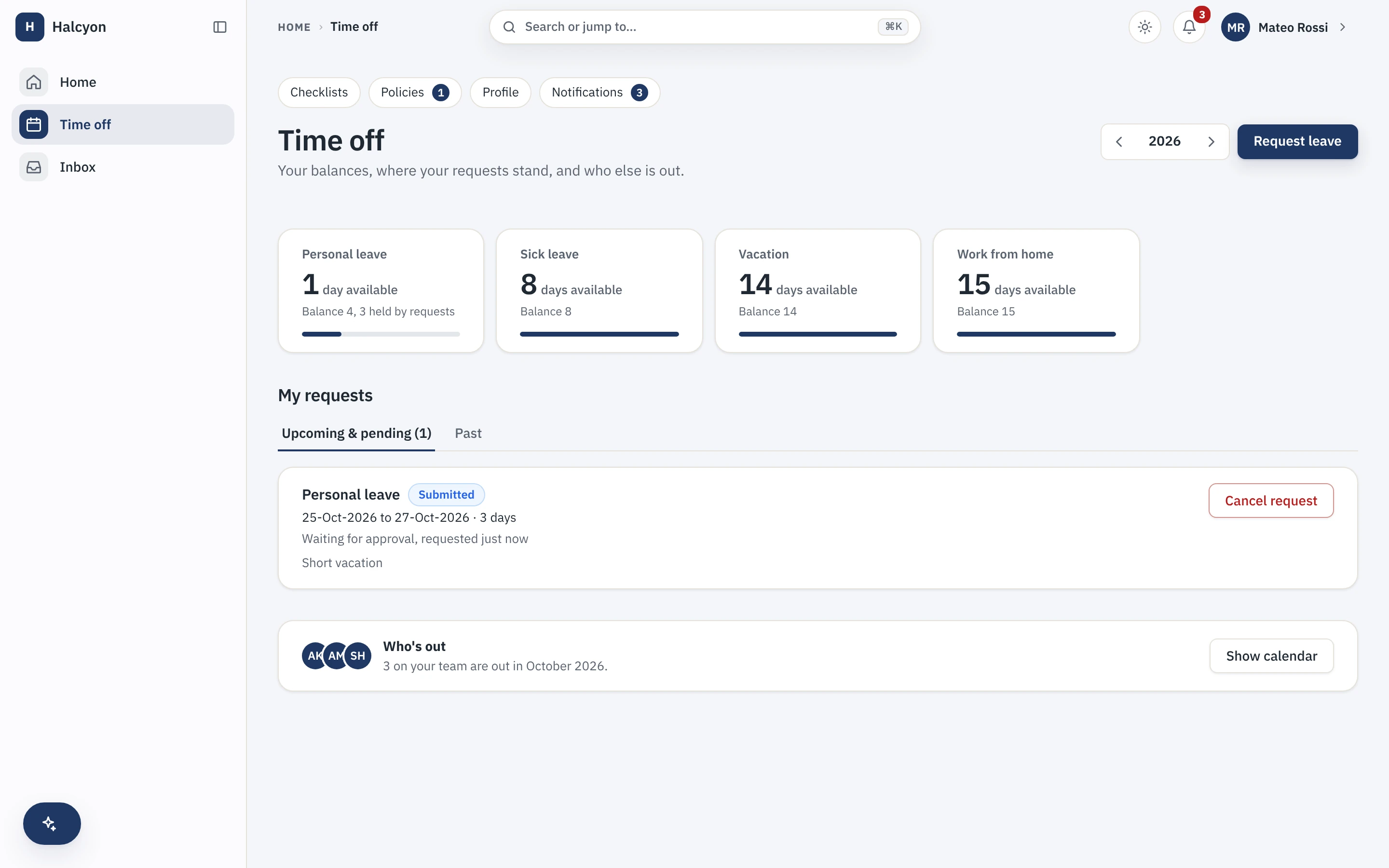
A conceptual map of leave in Capstan, with real captures from the demo workspace. Prices sit on the pricing page and nowhere else.
Set the rules once, your people book against them
You describe each kind of leave and how it accrues in one place. From then on every person sees their balances, books their own time off and knows who else is out, without asking.
What is a leave management system?
A leave management system is the single place that holds your leave policies, tracks each person's balance, takes their requests and routes them for approval. In Capstan it is part of the core record, so the balance a person sees, the holiday that falls in their request and the manager who approves it are all reading the same data, not three tools kept in sync by hand.
- One source for policies, balances, requests and approvals, not a spreadsheet beside the HRIS.
- Balances are visible to the employee before they ask, so the status question is never raised.
- Part of the free core, so a company runs real leave without buying a module.
Does it handle different policies and country holidays?
Yes. You set a policy per entity, region or grade, with its own accrual rules, carry-over, negative balances and encashment flags, and a holiday calendar per location that is applied automatically by each person's work location. So a company with offices in the US, the UK and India runs each team on the right leave year and the right public holidays without anyone picking a calendar by hand.
- Policy per entity, region or grade: accrual, carry-over, negative balances, encashment.
- Holiday calendars per location, so an India team follows Indian holidays and a UK team follows UK ones.
- The reasoning for building for distributed teams is in our guide on managing a distributed team.
How are leave requests approved?
A leave request routes through the same approval engine every request in Capstan uses, so it follows a chain you configure, carries delegation for when an approver is away and escalates on elapsed time. The approver decides from the notification itself, and the balance impact is shown before the decision, not worked out afterwards.
- Approval chains by reporting line, role or named person, with out-of-office delegation.
- The balance impact is visible at the point of decision, so nobody approves into a negative by surprise.
- The engine behind this is the same one on approval workflows.
What about shifts, rosters and overtime?
Core leave and a two-tap attendance punch are in the free core. Advanced shifts, rosters, rotation and overtime rules are the Time and Attendance (Advanced) module, which is included on every plan alongside the other thirteen rather than sold on top. Payroll stays in partner-integration mode: Capstan compiles the inputs and hands a clean export to your payroll partner, and the statutory maths is theirs.
- Core leave and attendance are free; advanced shift and roster rules are a module included on every plan.
- See it on the Time and Attendance module page.
- Prices, past the free twenty people, are on the pricing page and nowhere else.
Start free for up to twenty people, and run real leave from the first day.