
By capability
Employee self-service software
Employee self-service in Capstan gives every person one place to see and manage their own record: their profile, their leave, their attendance, their payslips and every request they have made. It works from the web and from an installable phone app, and it is on every plan, the free one included.
A conceptual map of the employee side of Capstan, with real captures from the demo workspace. Prices sit on the pricing page and nowhere else.
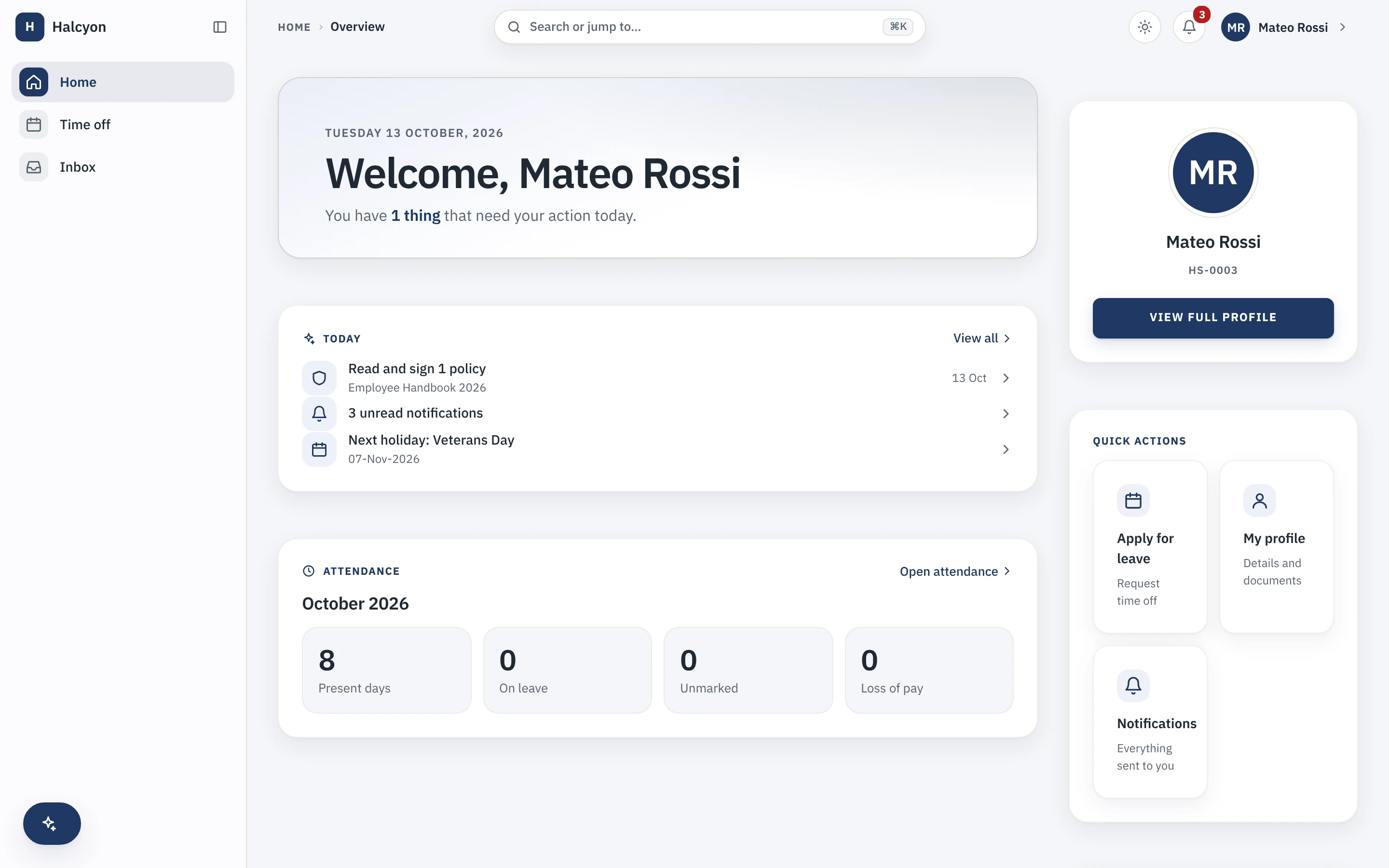
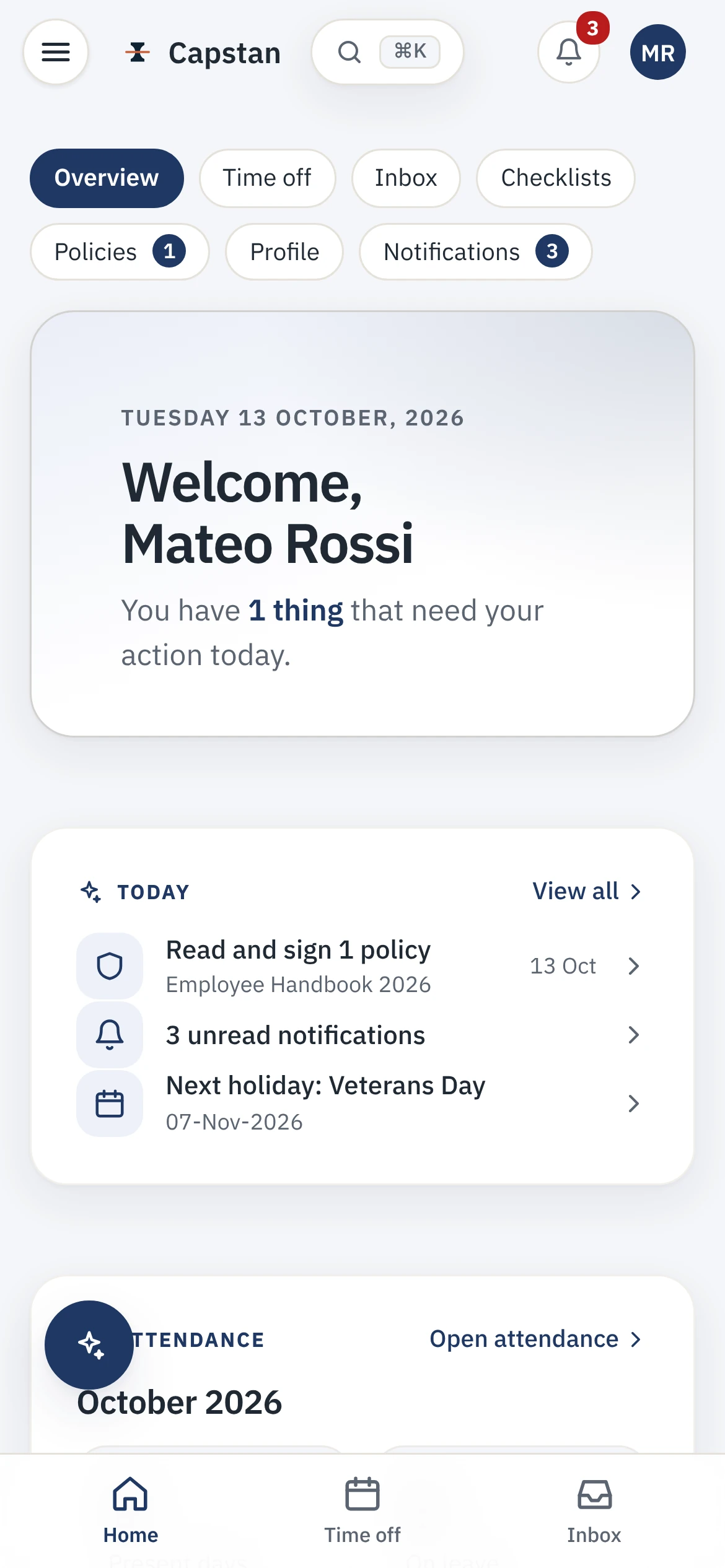
The employee's home, on web and phone
The first thing a person sees is what needs them today and what they can do without asking anyone. The same home installs to a phone from the browser, with no app store in between.
What is employee self-service software?
Employee self-service, often shortened to ESS, is the part of an HR system where your people do their own routine HR work instead of filing a ticket for it. In Capstan that means a person updates their own details, books their own leave, reads their own payslip and tracks their own requests, and the answer is visible to them rather than locked behind a mail to HR.
- One home for everything a person owns: profile, time off, attendance, payslips and requests.
- The answer is visible, so the question that would have been an HR ticket never gets raised.
- On every plan, because charging extra for self-service is the old world's trick.
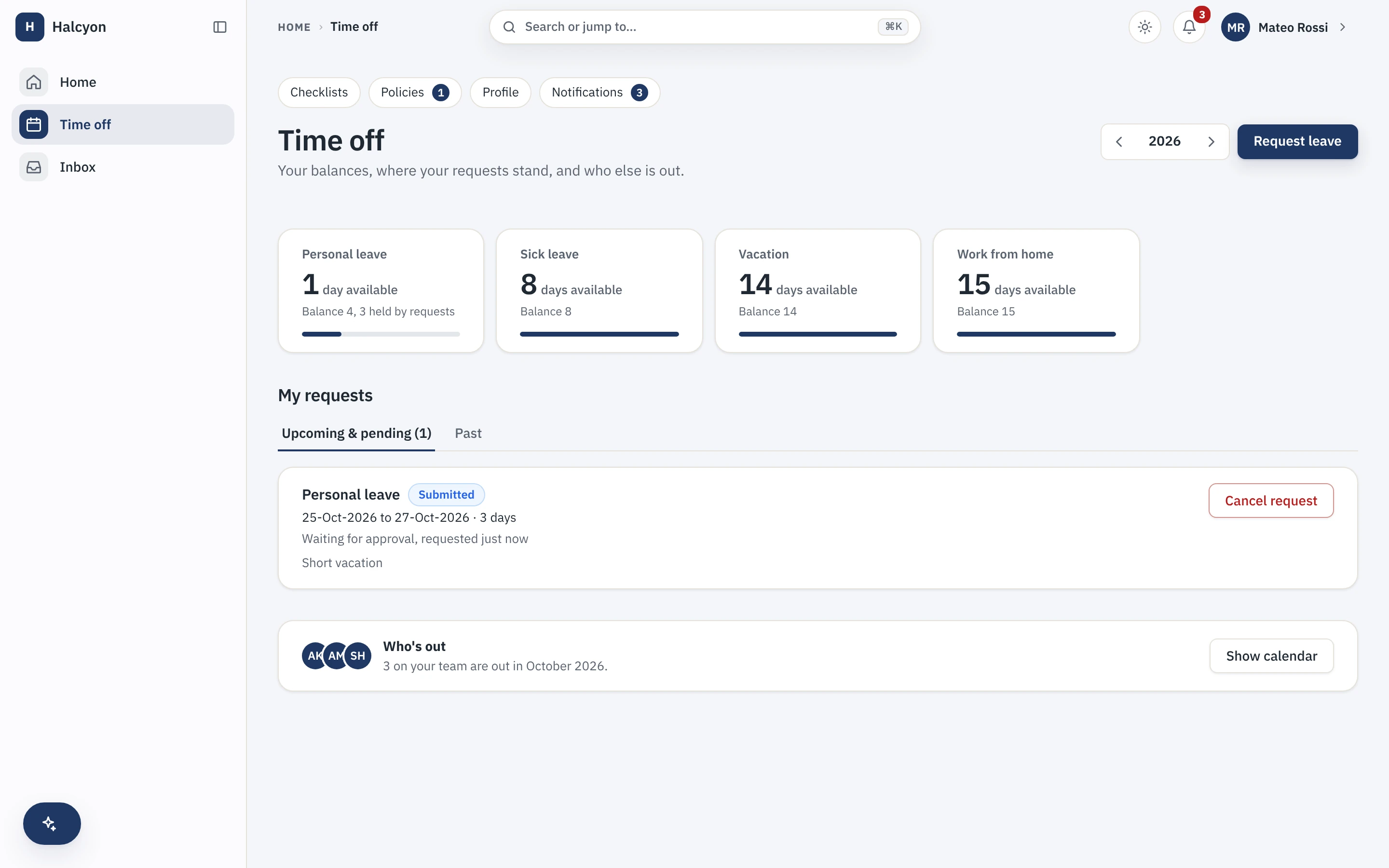
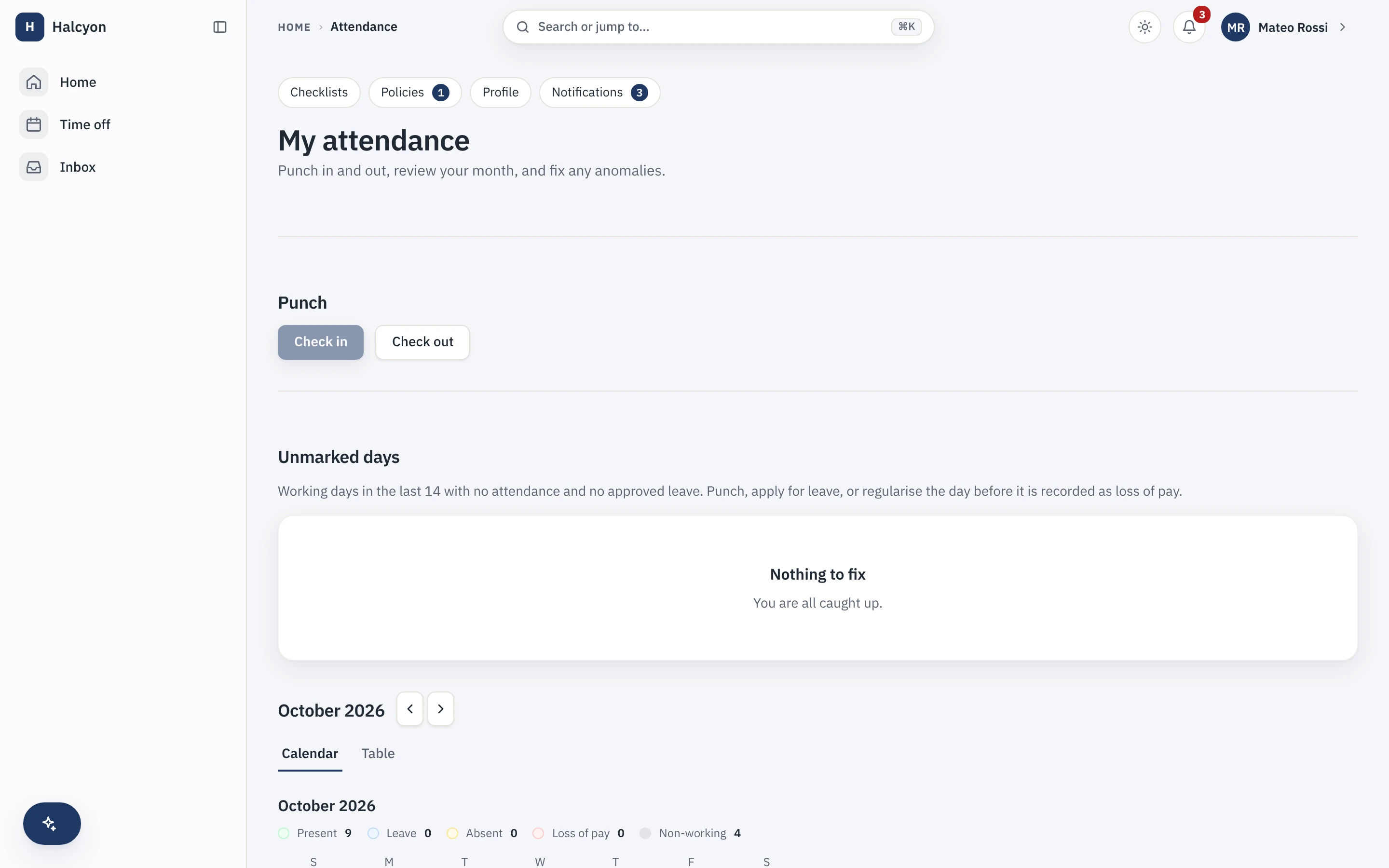
Time off and attendance, without asking HR
Balances, requests and the month's attendance are the two things a person checks most, so they are one tap from the home rather than a message to someone.
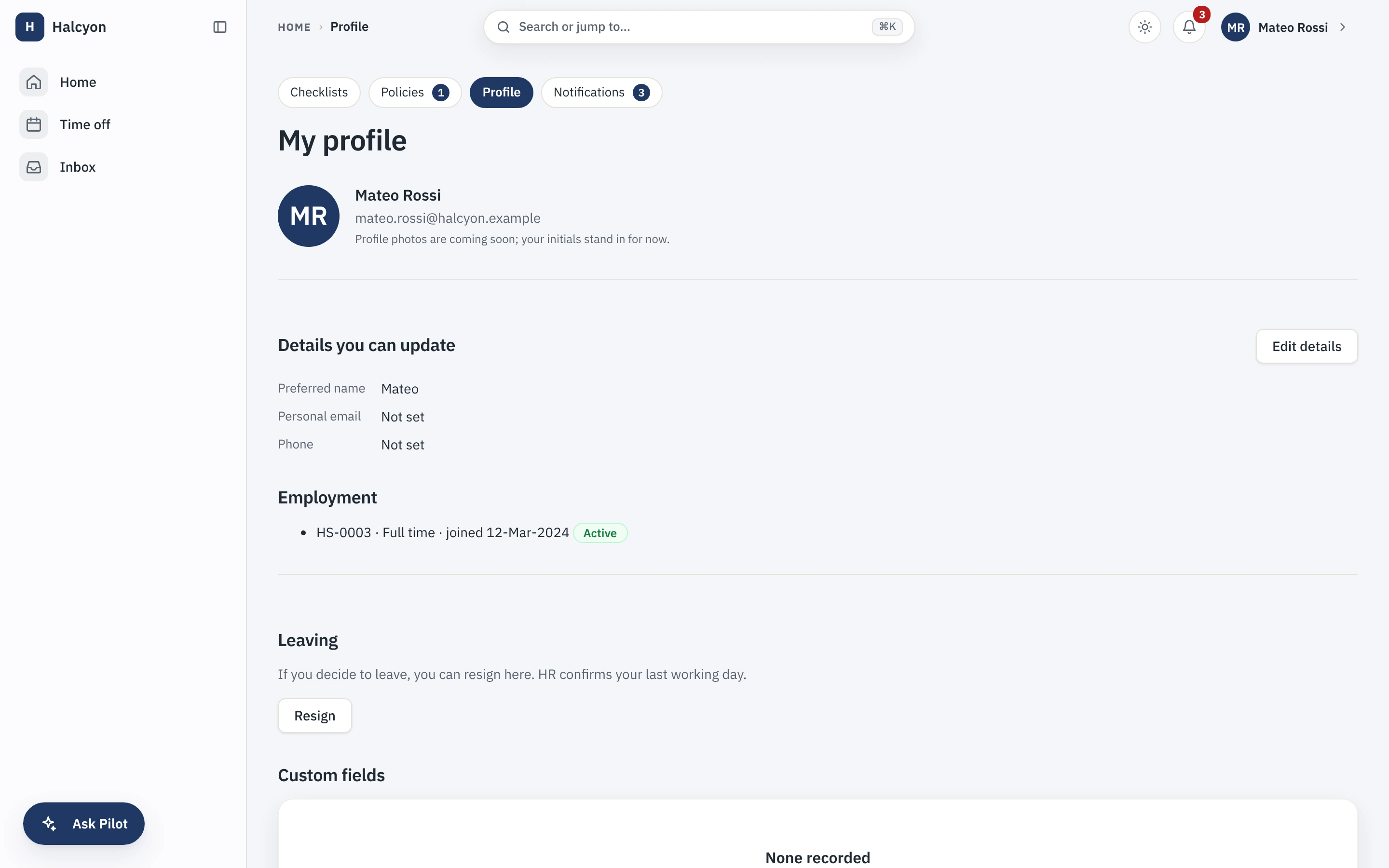
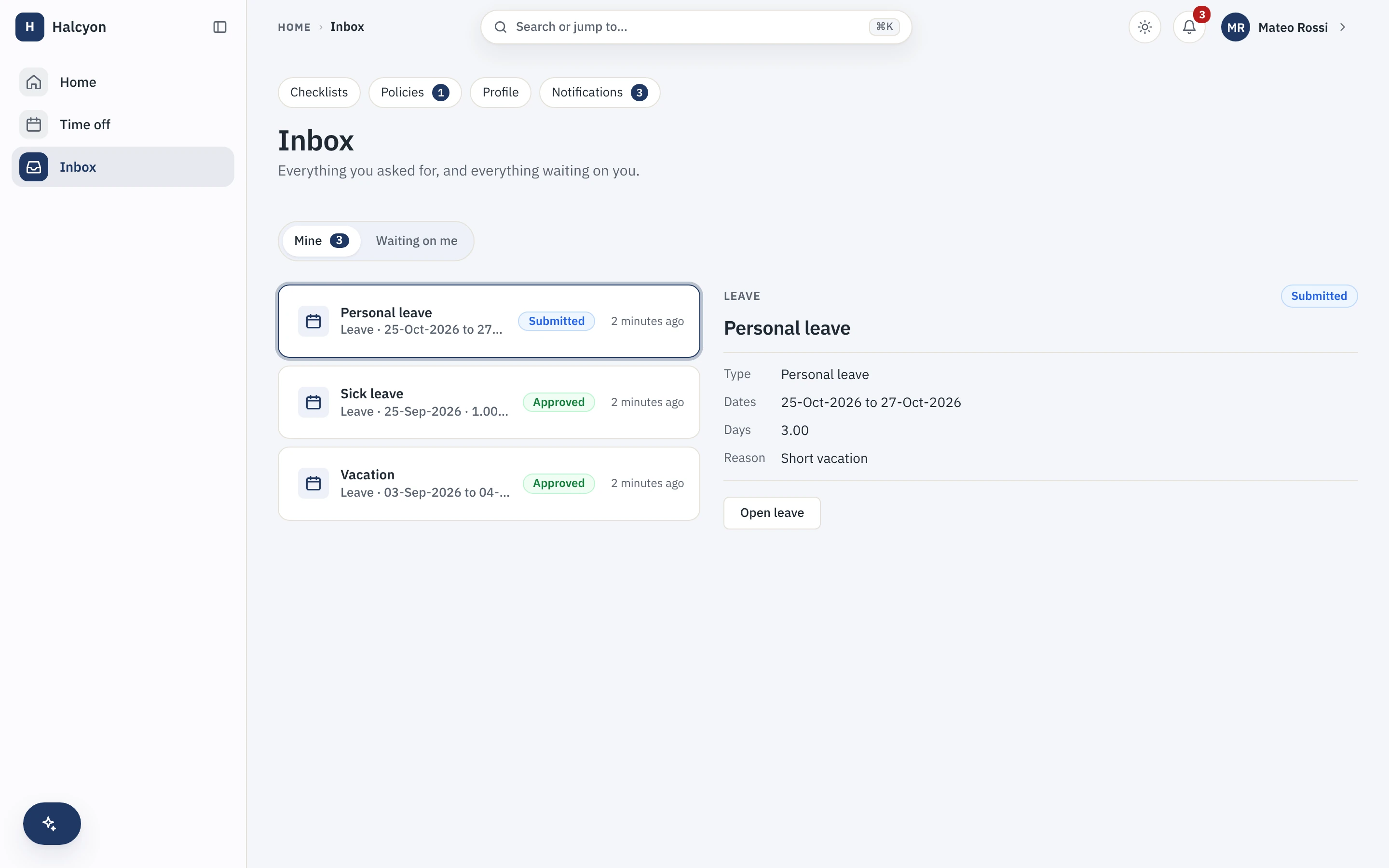
Their own profile, and their own inbox
A person keeps their record current, and sees every request they have raised and where it stands, in one inbox that also carries what is waiting on them.
Is there an employee self-service app?
Yes. The employee app is a progressive web app, so it installs to a phone home screen straight from the browser, needs no app store, and updates when the product does with no store review queue in between. It carries the same self-service as the web, and one action, the attendance punch, works even with no network and replays in order when the connection comes back.
- Installs from the browser to the home screen, with nothing to approve in an app store.
- The attendance punch queues offline on the device and replays in order once you reconnect, so a bad signal never costs someone their hours. The mechanism is on the integrations page.
- Included on every plan; the app is never the thing a paid plan unlocks.
Does self-service cost extra?
No. Self-service is part of the core product, so it is on the free plan and on a paid plan alike. A paid plan lifts exactly one thing, the twenty-active-employee cap, and changes nothing about the software, so the self-service your people use is the same whether you pay or not. The reasoning is in the manifesto, and the whole platform is on the product page.
- The same feature set on Free and on a paid plan; the only difference is the cap a paid plan lifts.
- Prices, when you do grow past the free twenty, are on the pricing page and nowhere else.
- Self-service is only one side of the product; the admin side is the full product tour.
Start free for up to twenty people, and your team is on self-service from day one.