
By capability
HR helpdesk software
Capstan's HR helpdesk gives your people one place to raise an HR question and gives HR a real queue to work: categories with default assignee rules, a five-state ticket lifecycle, threaded replies with internal-only notes, and SLA clocks derived from each ticket's own history. It is one of the fourteen modules, included on every plan and free for up to twenty people.
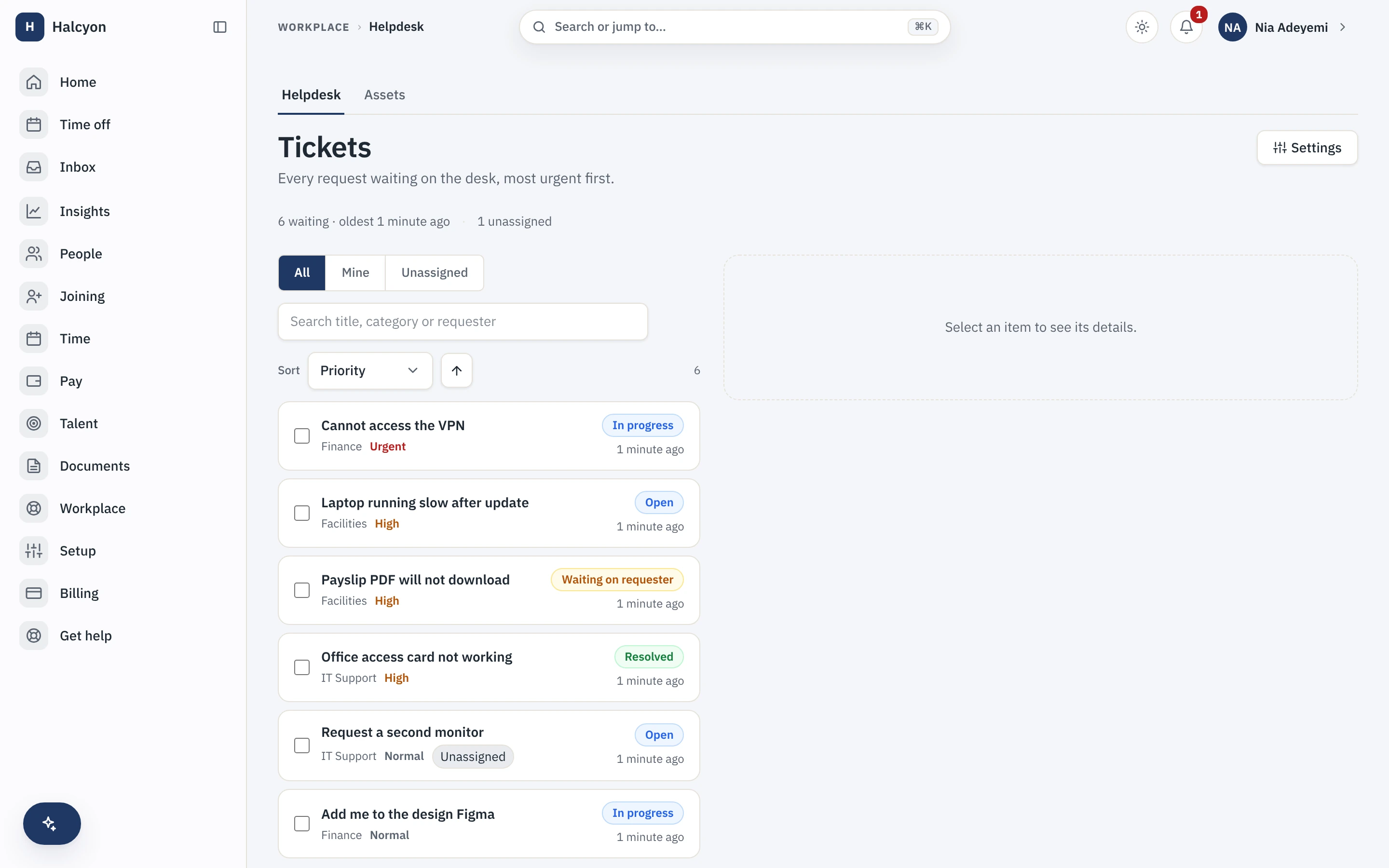
A conceptual map of the helpdesk, with a real capture from the demo workspace. Prices sit on the pricing page and nowhere else.
Payroll questions stop living in direct messages
An employee raises a case from self-service, it routes by category to the right assignee, and agents keep internal notes the requester never sees. The queue shows the most urgent first.
A real queue, not a shared inbox
Once more than one person answers HR questions, a shared email account stops working: nobody can say who owns a request or how long the last one took. The helpdesk replaces that with a queue that assigns, tracks and times every case, and keeps the back-and-forth with the requester separate from the notes agents keep between themselves.
- Categories with default assignee rules, so a case reaches the right person without triage.
- Threaded replies to the requester, plus internal-only notes they can never see.
- A five-state lifecycle and a resolution clock that pauses while a ticket waits on the requester.
What it deliberately does not do
The helpdesk is for your own people, not your customers, and it is honest about its edges so you learn them before buying rather than after. Boundaries you learn up front are features.
- It is not a customer-support product: requesters are your people, agents are your staff.
- No email-in ticket creation, no knowledge base and no article library.
- A ticket is not an approval: approvals run on the core workflow engine, and a category that needs one binds it.
It reads the core instead of rebuilding it
Attachments are documents in the core document store, notifications ride the core notification ladder, and visibility is scoped by the core org structure. If you use outbound webhooks, which are core on every plan, the helpdesk emits events when a ticket is created, resolved and closed, so a case can trigger work in your own systems.
- Shares the core directory, documents, notifications and approvals rather than duplicating them.
- Contractors can raise tickets while Contractor Management is enabled.
- The full module detail, with its published limits, is on the Helpdesk module page.
HR helpdesk software questions
What is HR helpdesk software?
HR helpdesk software is a case inbox for the questions employees send HR, a payroll query, a leave correction, a letter request, worked as a real queue instead of a shared email account. Capstan gives each case a category, an assignee, a status and a history, so a request is tracked from raised to resolved rather than lost between three channels. It is internal: the requesters are your own people and the agents are your own HR staff.
Is the HR helpdesk included for free?
Yes. Helpdesk is one of the fourteen Capstan modules and every module is included on every plan, the free one included, at no extra charge. A workspace of up to twenty active employees runs the whole helpdesk on the free plan, and there is no per-agent seat to buy. Past twenty people you move to a paid plan, which lifts the headcount cap and changes nothing about the software.
Does it have SLAs and assignment rules?
Yes. Categories carry default assignee rules so a case routes to the right person, and a resolution clock is derived from the ticket’s own history, pausing while a ticket waits on the requester and recording a missed target as a breach rather than quietly forgetting it. Service-level policies ship empty: until you create one, the SLA features are visible but dormant, and the product says so rather than hiding them.
How is an HR helpdesk different from an IT or customer helpdesk?
It is built for HR and only HR. There is no email-in ticket creation, no public portal, no knowledge base and no customer-facing queue. A ticket starts in self-service, or in the contractor portal when Contractor Management is on, and a case that needs an approval binds the core workflow engine rather than growing a second approval system inside the helpdesk.
Start free for up to twenty people, and give HR a real queue from the first day.